1Why a Trial Is a Sales Funnel, Not a Test Drive
Most advice about free trials shows up after something has already gone wrong: a charge you did not expect, a subscription you forgot to cancel, a refund you now have to ask for. Those situations matter, and if you are dealing with one right now, our refund guide and cancellation checklist walk through exactly what to do. This guide covers the step before any of that: the decision to start a trial at all, and what to check in the sixty seconds before you click the button.
A free trial is not a sample, it is a sales funnel. The team that built the signup screen tracks one number above all others: what percentage of trial users end up paying. Every choice on that screen, how long the trial runs, whether a card is required, what happens on the last day, is made to move that number up. None of that makes a trial useless. It does mean the page in front of you was not built to help you decide fairly. It was built to convert.
Holiday promos work the same way. A Black Friday streaming deal at around $1 a month is a trial with a longer runway, and it renews at full price later, which we break down in our guide to Black Friday streaming deals and the full-price renewal.
The rest of this guide breaks down five specific mechanics companies use to turn trials into paid subscriptions, each one backed by an actual regulator finding or enforcement case rather than a guess. Then it gives you a short checklist to run before you ever hand over a card number, so you are the one deciding whether to convert, not the design of the signup screen.
2Dark Pattern #1: Confirmshaming in the Cancel Flow
The FTC's 2022 staff report on manipulative design, Bringing Dark Patterns to Light, gives a name to one of the most common tactics: confirmshaming. The FTC defines it as design that uses guilt-laden wording around the option a company does not want you to choose, so that picking it feels unreasonable. You have almost certainly seen it: a cancel button next to a highlighted alternative worded like "No thanks, I don't want to save money" or "I'll pay full price instead."
Example scenario: You go to cancel a trial and the exit screen shows two buttons. One says "Yes, cancel my access." The other, styled in the brand's main color and noticeably larger, says "No, keep my benefits active." There is no button that simply says "cancel." You have to actively choose the option worded to make you feel like you are giving something up.
The same wording shows up at signup, not only at cancellation. A "skip the trial" link phrased as "No, I don't want to try it for free" uses the same technique, making the plain, ordinary choice feel like a loss. Once you can name the pattern, it is easier to read past the wording and ask what the button actually does.
3Dark Pattern #2: Cancellation Locked Behind a Call or a Letter
Signing up for most trials takes one form and one click. Canceling some of them requires a phone call during business hours, a mailed letter, or a live chat queue. The FTC has a name for this asymmetry too: a roach motel, easy to get into, hard to get out of.
The clearest example is Amazon. The FTC sued Amazon over its Prime signup and cancellation process, arguing that the design made canceling deliberately complicated, that the process existed to stop people from leaving rather than to let them leave. In 2025, Amazon agreed to pay $2.5 billion to settle the case, split between a civil penalty and refunds to affected customers, and is now barred from using that cancellation process going forward.
That settlement only binds Amazon. Nothing stops another company from still requiring a phone call or a mailed notice to cancel a trial, unless a specific law says otherwise. A federal rule that would have required cancellation to be as easy as signup was struck down in court before it took effect, we cover exactly what that means for you now in our guide to the FTC's click-to-cancel rule. The practical takeaway here is simpler: check the cancellation method before you hand over a card, not after.
4Dark Pattern #3: A Card Required Upfront, No Reminder Before It Bills
A 2024 global review of subscription websites and apps, coordinated by the International Consumer Protection and Enforcement Network with the FTC among the participating agencies, checked 642 services and found that 66% required payment details just to start a "free" trial. The stated reason is usually identity verification. The practical effect is that the company can bill you the moment the trial ends without asking again, no checkout page, no second confirmation, nothing you have to actively approve.
The same review found that 70% of the services checked gave no information about how to cancel during signup, and 67% did not disclose the date the free period would end. A card-required trial with no visible cancellation path and no clear end date is not really free. It is a subscription that starts today and happens to have a zero-dollar introductory period.
There is one real exception worth knowing. As of July 1, 2025, California's Automatic Renewal Law requires a reminder three to 21 days before a free trial longer than 31 days converts to a paid plan. It only covers California and only trials over a month long, so most week-long or two-week trials nationwide still get no reminder from the company at all. Do not count on getting a heads-up unless you build one yourself.
5Dark Pattern #4: Defaulting You Into a Pricier, Longer Plan
The FTC's 2024 case against Adobe is the clearest example of this pattern on record. The complaint alleged that Adobe's signup flow pre-selected its "Annual, Paid Monthly" plan by default, a plan billed monthly but locking you into a full year, and that the early termination fee for leaving before the year was up, as much as 50% of the months remaining, was disclosed only in small print or behind a hover icon most people never see. Adobe settled the case in 2026 for $150 million, split between a civil penalty and free services for affected customers.
The mechanic behind it shows up well beyond Adobe: give the trial user the full top-tier experience, then default the account into whichever plan and billing cycle makes the company the most money once billing starts, unless the user actively picks something else. If a signup screen does not make you consciously choose a plan and a billing frequency, assume the default is not the cheapest option.
Before you start a trial, find the account or billing settings and confirm exactly which plan you are enrolled in and what it costs when it converts, monthly or annual, base tier or premium. If that information is hidden behind a hover icon or buried several clicks deep, treat that as a warning sign on its own.
A 2024 global sweep of 642 subscription websites and apps, run by consumer protection agencies including the FTC, found that more than 75% used at least one manipulative design pattern to keep users signed up.
6Dark Pattern #5: A Trial Timed to a Weekend or Holiday
A seven-day trial that starts on a Thursday converts the following Thursday. If that Thursday is a public holiday, or if the trial actually started on a Friday and converts on a Saturday, the day you would need to act can land at a time when support lines are closed and a self-serve cancellation page, if one even exists, is your only option.
This is not necessarily a claim that companies deliberately schedule trials around your calendar. Most trial lengths are fixed at seven, fourteen, or thirty days regardless of when you happen to start. The risk is still real: the closer your planned cancellation date sits to a weekend or holiday, the less room you have if something goes wrong, a support line is closed, a page is down, or you simply run out of time. Build in a buffer instead of planning to cancel on the exact last day.
7What Regulators Have Actually Done About This
This is not just a consumer complaint, it is an active enforcement area. In 2021, the FTC issued a policy statement warning that it would increase enforcement against dark patterns that trick or trap people into subscriptions, specifically calling out free trials that convert to paid plans before the trial period is actually over and cancellation processes that force people to wait on hold.
The FTC's own 2022 staff report documented the specific tactics regulators now watch for: pre-checked boxes, confirmshaming, hidden fees revealed only at the last step, and cancellation flows that take far more effort than signup. The Amazon and Adobe cases above are the two largest enforcement actions built on that theory to date, together totaling more than $2.6 billion in penalties and consumer redress.
None of this means the problem is solved. Enforcement moves case by case, and a practice has to get flagged and pursued before it stops. Until then, the checklist below is what actually protects you on the day you sign up, not the promise that a regulator will eventually catch every bad flow.
8The Checklist to Run Before You Click "Start Trial"
Now that you know the mechanics, here is what to actually check in the minute before you sign up for the next trial. Each step targets one of the patterns above.
- Look up the cancellation method before you sign up: Search "[service name] cancel subscription" and confirm it is a self-serve toggle in account settings, not a phone call during business hours or a mailed letter. If you cannot find the answer in under a minute, that is itself useful information.
- Save the trial terms the moment you start: Screenshot or write down the trial length, the exact price it converts to, and which plan and billing cycle you are enrolled in, monthly or annual. Do this before you forget what the signup page said.
- Set the reminder two to three days early, not on the last day: Use your phone calendar, not the service's own notifications. A buffer matters if the conversion date lands on a weekend or holiday when a cancellation page is down or a support line is closed.
- Use a virtual or single-merchant card with a spending cap: Privacy.com and Capital One Eno both let you generate a card number locked to one merchant with a limit as low as $1. If you forget to cancel, the renewal charge is declined instead of silently going through.
- Treat "card required" as "subscription started today": If a trial needs your payment details upfront, it is already a subscription with a delayed first bill, not a free product. Decide accordingly, and do not assume you will get a reminder before it charges you.
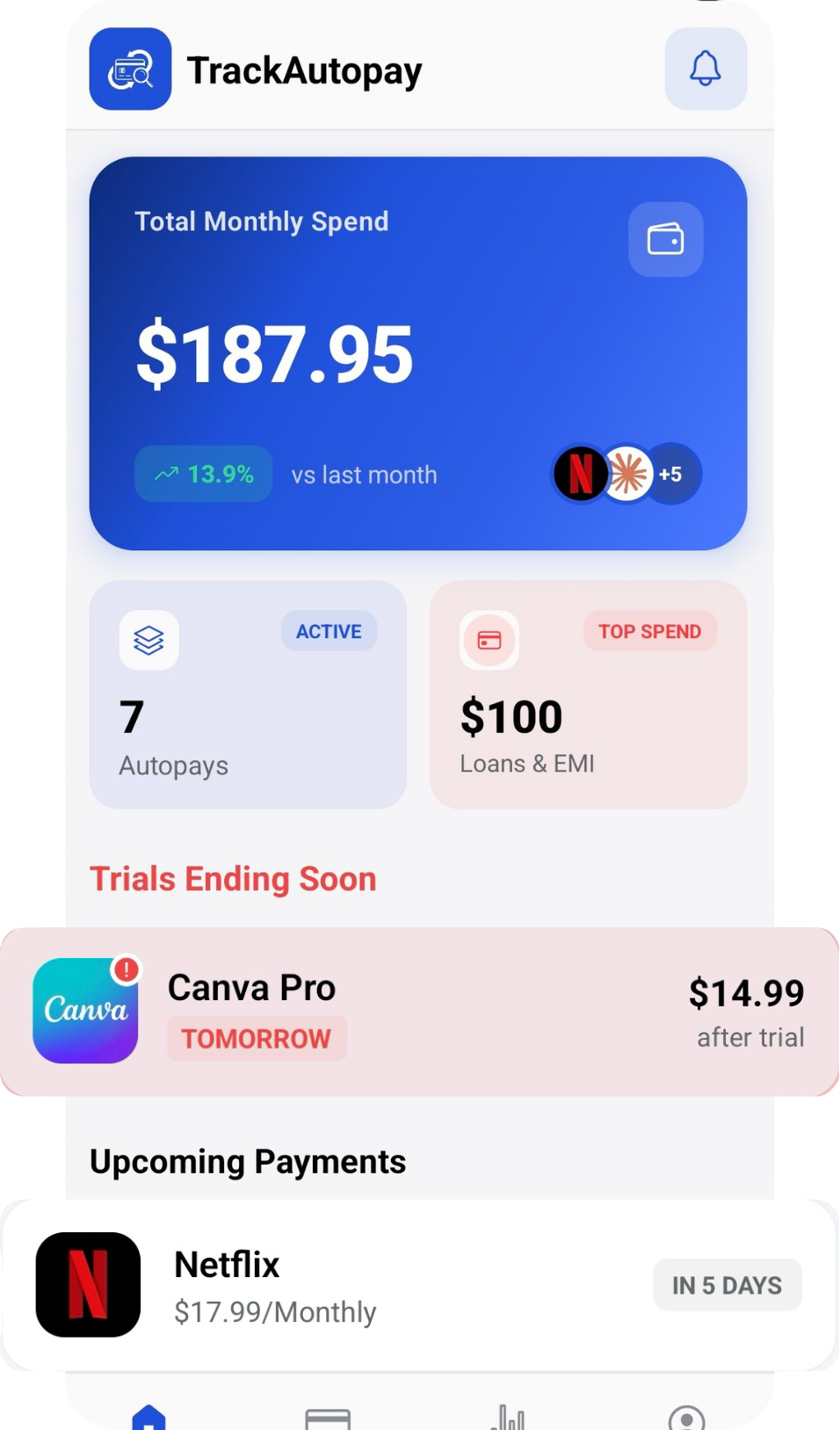
- Log it in TrackAutoPay the moment you start it: Add the trial with its real end date the second you sign up. That way a system is doing the remembering, not your memory on a random Tuesday three weeks from now.
If you already started a trial without checking any of this and it has since converted into a charge you did not expect, this checklist will not undo it. Our cancellation checklist and refund guide cover what to do next.
9How TrackAutoPay Keeps You Ahead of Every Trial
TrackAutoPay is built for the moment before a trial converts, not just the aftermath. The moment you sign up, log the trial with its real end date, the price it converts to, and the plan it locks you into. That single habit removes the need to trust a company's reminder, or the lack of one.
From there, TrackAutoPay sends you a reminder with enough lead time to actually act, not on the last possible day, before support lines close for a weekend. You get a clear dashboard of every trial and subscription in one place, so the decision to keep a service or walk away is always yours, made with the full picture in front of you instead of made for you by a signup screen.
Never let a trial convert without your say
Log every free trial the moment you start it, get a reminder before the real charge hits, and decide on your own terms.