1Why Cancelling Subscriptions Is Harder Than It Should Be
Signing up for a subscription takes thirty seconds. Cancelling one can take thirty minutes - if you can even find the cancellation page. Companies design sign-up flows to be quick and easy, and cancellation flows to be buried under multiple menus, confirmation screens, and retention offers. This is not an accident, it is a core part of how subscription businesses make money.
The problem compounds when subscriptions are spread across different payment methods. Some charge your UPI account through mandates, others hit your credit card, and a few run through app store billing. Each channel has its own cancellation process and timeline. Missing even one renewal date means another month of charges for a service you do not use. Understanding why autopay leads to forgotten charges is the first step toward breaking the cycle. This guide breaks the process into manageable steps so you can reclaim control in a single sitting. A 10-minute audit across UPI, credit cards, app stores, and direct merchants is usually enough to find subscriptions you no longer use.
Did you know? The average person pays for 12 or more subscriptions but only actively uses 6 to 7 of them. That gap between what you pay for and what you actually use can add up to thousands of rupees wasted every year.
2Step 1: List Every Active Subscription
Before you cancel anything, you need a complete picture. Open your bank statements from the last three months and highlight every recurring charge. Look for amounts that repeat on the same date each month or quarter. Do not skip small charges - a forgotten 99-rupee subscription adds up to nearly 1,200 rupees a year, and most people have several running simultaneously.
Next, check your UPI apps for active mandates, your credit card statements for recurring merchant charges, and your App Store or Play Store subscription pages. You might be surprised to find hidden subscriptions draining your bank account that you never consciously approved.
- Bank statement recurring charges
- UPI autopay mandates
- Credit card recurring payments
- App Store & Play Store subscriptions
Create a simple spreadsheet or tracking app to log each subscription with its name, cost, renewal date, and payment method. This list becomes your cancellation checklist for the steps that follow.
3Step 2: Cancel UPI AutoPay Mandates
UPI autopay mandates allow merchants to debit your account automatically on a recurring basis. These are common for streaming services, insurance premiums, mutual fund SIPs, and utility bills. The tricky part is that mandates are tied to the specific UPI app where they were created, so you need to check each app individually.
Open Google Pay, PhonePe, Paytm, or whichever UPI app you use and navigate to the AutoPay or Mandates section. You will see a list of all active mandates with the merchant name, amount, and next debit date. For a detailed walkthrough, check our guide on how to check all UPI AutoPay mandates in one place.
- Open your UPI app settings
- Navigate to AutoPay or Mandates
- Review each active mandate
- Tap to cancel unwanted mandates
After cancelling, wait for a confirmation notification or SMS from your bank. If the mandate does not cancel through the app, contact your bank directly or visit NPCI's mandate management portal. Always cancel at least 3 days before the next scheduled debit to ensure the cancellation processes in time.
4Step 3: Cancel Credit Card Recurring Payments
Credit card recurring payments work differently from UPI mandates. When you save your card on a merchant's platform, they store a token that allows future charges without re-entering your details. To stop these payments, you typically need to cancel through the merchant's website or app, not through your bank.
Log into each subscription service and navigate to billing or subscription settings. Look for options like "Cancel subscription," "Turn off auto-renewal," or "Manage billing." Some services make this easy with a single button, while others require you to navigate through retention offers and confirmation pages.
If a merchant continues charging after cancellation, contact your credit card issuer to dispute the charge and request a block on that merchant. Most banks now offer merchant-level blocking through their apps. As a last resort, request a new card number, though this requires updating payment details on all legitimate subscriptions.
5Step 4: Cancel App Store and Play Store Subscriptions
Many subscriptions are billed through Apple's App Store or Google's Play Store rather than directly by the merchant. This is important because deleting the app does not cancel the subscription. You must explicitly cancel through the store's subscription management page, or the charges continue indefinitely.
On iPhone, go to Settings, tap your name at the top, and select Subscriptions. On Android, open the Play Store app, tap your profile icon, go to Payments and subscriptions, then Subscriptions. Both platforms show the renewal date and price for each active subscription, and you can cancel directly from these screens.
- iOS: Settings > Apple ID > Subscriptions
- Android: Play Store > Payments > Subscriptions
- Review renewal dates before cancelling
- Confirm cancellation notification received
A common mistake is assuming you will lose access the moment you cancel. In most cases, you keep access until the end of the current billing period. Cancel early so you do not forget, and you still get to use the service until it runs out.
6Step 5: Cancel Direct Merchant Subscriptions
Some subscriptions are managed entirely by the merchant and do not go through UPI, credit card recurring billing, or app stores. These include gym memberships, magazine subscriptions, SaaS tools, and services that send invoices. Cancelling these requires logging into the merchant's portal or contacting their support team.
For services that make cancellation deliberately difficult, check if they accept cancellation via email. Send a clear request with your account details and desired end date, and keep a copy as proof. Some merchants offer a "pause" option instead of full cancellation - be careful, as paused subscriptions often resume automatically. Always choose full cancellation if you want to stop paying entirely.
7The Weekly Pre-Renewal Check
Cancelling unwanted subscriptions is only half the battle. New ones accumulate over time, free trials convert to paid plans, and annual renewals sneak up on you. Building a weekly check habit prevents the backlog from building up again. Set aside five minutes every Sunday to review what is renewing in the coming week.
For each upcoming renewal, ask: "Did I use this in the past two weeks?" If the answer is no for two consecutive checks, that subscription is a strong cancellation candidate. This catches renewals before they happen rather than after. For a comprehensive approach, see our guide on tracking recurring payments across credit cards and UPI.
- Set a weekly Sunday reminder
- Review upcoming renewals for the week
- Ask: "Did I use this recently?"
- Cancel before renewal date hits
8How TrackAutoPay Simplifies the Entire Process
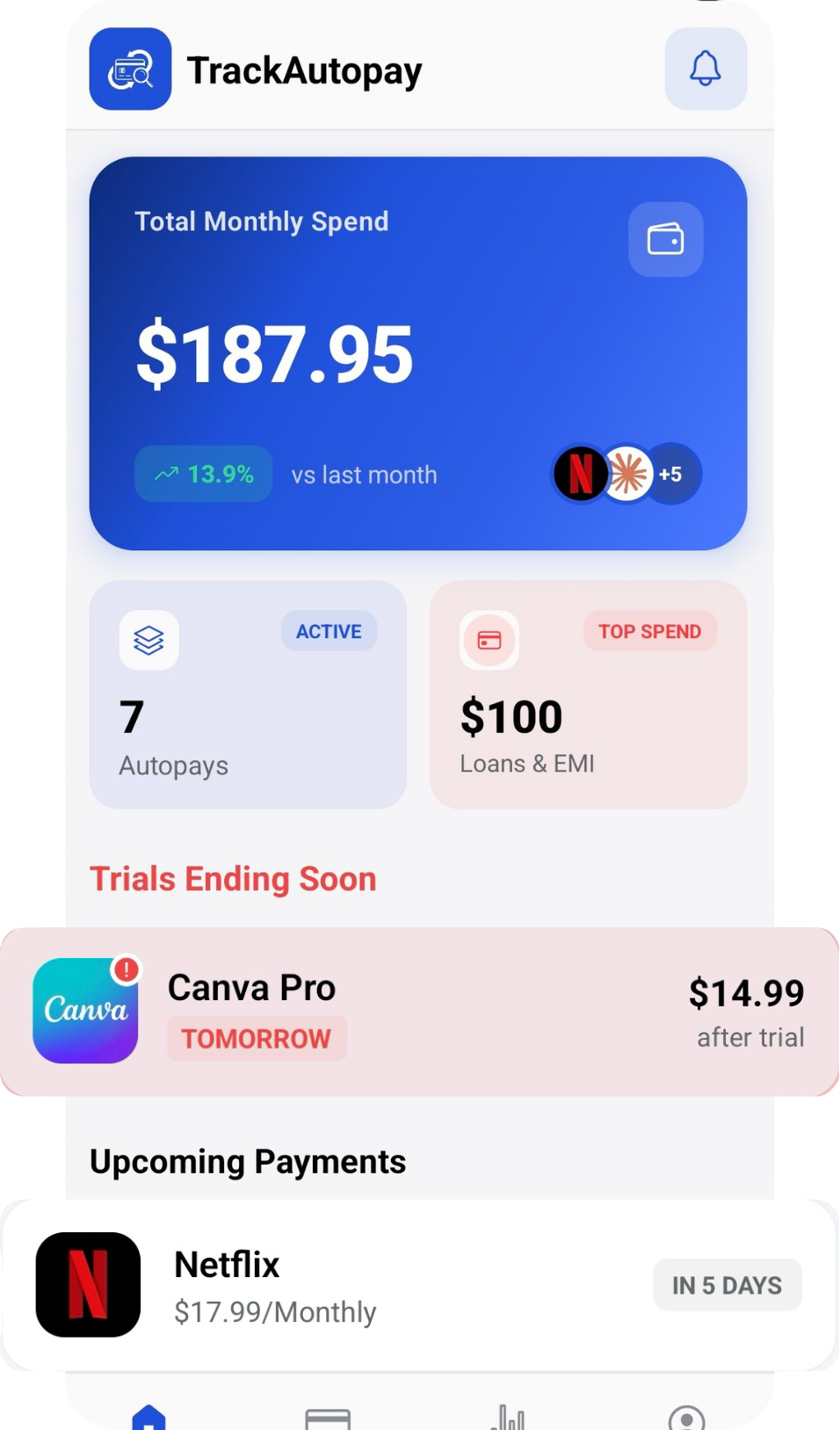
The manual approach works, but it takes discipline and time. TrackAutoPay removes that extra work by bringing all your subscriptions and autopay charges into a single dashboard with renewal dates, amounts, and payment methods clearly listed.
The app sends reminders before renewals, highlights unused subscriptions, and flags duplicates. Whether you have five subscriptions or fifty, TrackAutoPay helps you spend only on what you actively use - no spreadsheets or calendar reminders needed.
Cancel smarter. Track everything in one place.
See every subscription and autopay charge on a single dashboard. Get renewal reminders, spot unused services, and cancel before you get charged.