1What is UPI AutoPay?
UPI AutoPay is a recurring payment facility introduced by NPCI (National Payments Corporation of India). It allows users to automate recurring monthly, weekly, or daily payments like OTT subscriptions (Netflix, Prime), insurance premiums, mutual fund SIPs, and utility bills, without re-entering a UPI PIN for every single charge. The mandate itself lives on your bank's server, not the app's, so even if you forget which app you used to set it up, you can always find and cancel it through the NPCI portal.
Did you know? NPCI has announced plans to make mandates viewable across every UPI app regardless of where they were created, but this is rolling out in phases. Today, most apps still only show the mandates you set up within that same app.
2Why You Should Audit Your Mandates
With so many subscriptions to keep track of, it's easy to lose sight of where your money is going. Checking regularly helps you:
- Cancel subscriptions you forgot about
- Avoid bank charges for low balance
- Spot charges you are paying for twice
- Plan your monthly spending better
New to AutoPay? Start with what AutoPay is and why it causes silent overspending.
3How to Check via UPI Apps
Each UPI app currently only shows the mandates you set up within that same app, there's no unified list yet across GPay, PhonePe, and Paytm. NPCI has said cross-app visibility is coming in phases, but until it rolls out, check every app you actively use:
Google Pay (GPay): Tap Profile Icon → Autopay → View Active/Pending Mandates.
PhonePe: Tap Profile Icon → Payment Settings → AutoPay. Use the "Filter" option to see mandates by bank or merchant.
Paytm: Search "AutoPay" in the search bar or go to Profile → UPI & Payment Settings → Automatic Payments.
4Check via NPCI Portal (The Direct Way)
The National Payments Corporation of India (NPCI) has launched a dedicated portal to help you see all your recurring payments in one place. Notably, this portal is now the only central place where you can find a direct "Revoke" option for all your mandates.
Steps to check and revoke on NPCI Portal:
- Go to upihelp.npci.org.in.
- Login using your registered mobile number and OTP.
- Navigate to the "My Mandates" tab.
- This will display all active and expired mandates across all banks and UPI handles.
- For any unwanted mandate, click the "Revoke" button to cancel it immediately.
5UPI AutoPay Limits & Rules (2026)
| Category | Max Limit |
|---|---|
| Standard Services (OTT, Bills) | ₹15,000 |
| Mutual Funds / SIPs | ₹1,00,000 |
| Insurance Premiums | ₹1,00,000 |
| Credit Card Repayments | ₹1,00,000 |
These limits sit inside the RBI's consolidated e-mandate framework, which also sets the alert your bank must send 24 hours before each debit.
Most autopay mandates need no PIN below ₹15,000, which is exactly why forgotten ones go unnoticed for months.
6How to Cancel a Mandate Quickly
Found an old subscription? Here is how to kill it in seconds. For a complete "one-stop" cancellation, we recommend using the NPCI portal's direct revoke feature.
Method 1: Using the NPCI Central Portal (Recommended)
- Login to upihelp.npci.org.in.
- Go to My Mandates.
- Click "Revoke" on any mandate you want to stop.
Method 2: Using the App That Created It
- Open the specific UPI app you used to set up the mandate.
- Go to the AutoPay/Mandates section.
- Select the merchant and tap "Revoke" or "Cancel".
- Enter your UPI PIN to confirm.
Note: No third-party app in India, including TrackAutoPay, can pull a live, real-time list straight from the NPCI database or your bank. TrackAutoPay helps you manually collect and organize your mandates in one place. For the full, accurate list straight from your bank, always check the NPCI Portal mentioned above.
7The "All-in-One" Tracking Solution
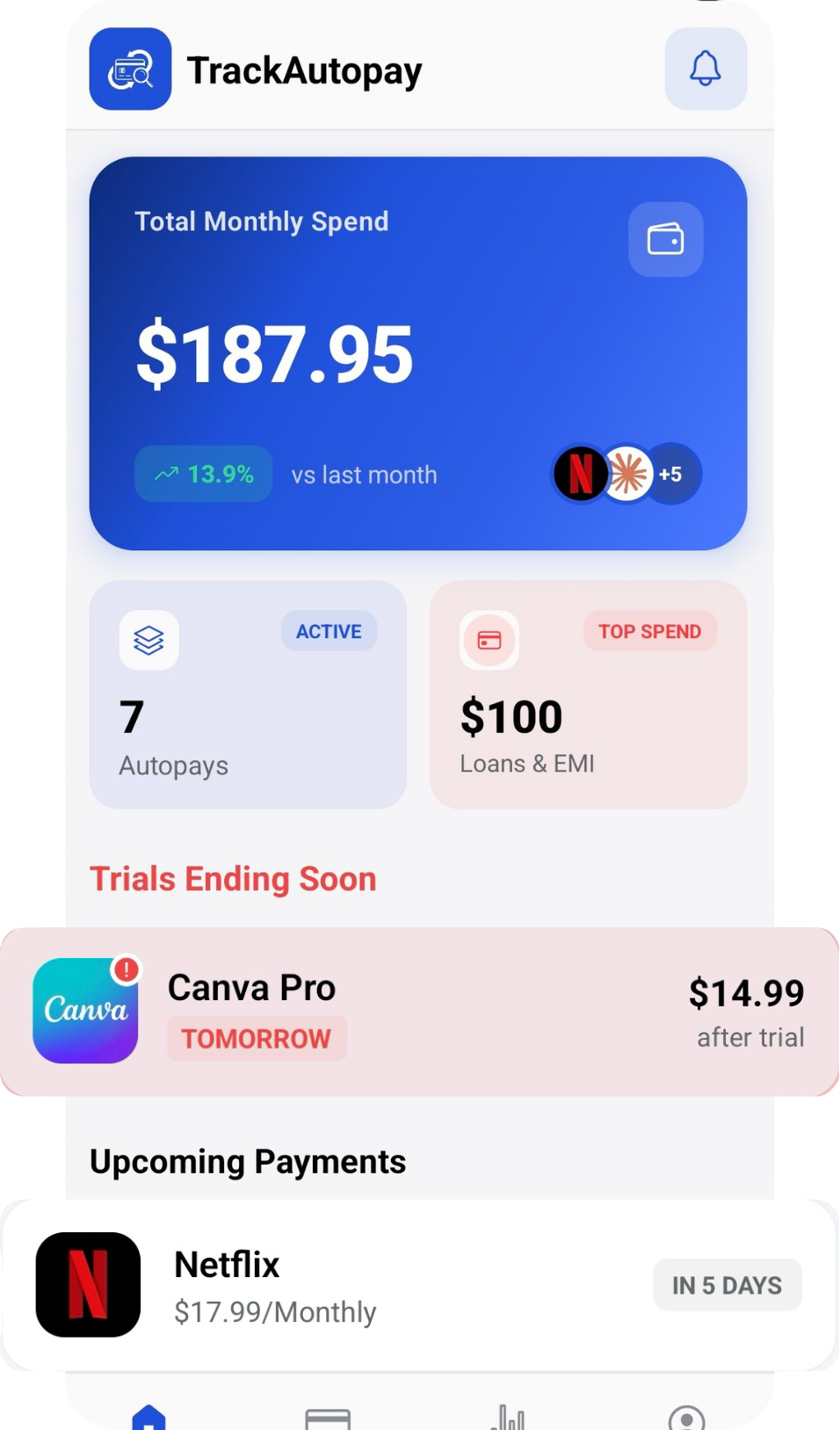
Don't rely on memory or scattered apps. TrackAutoPay helps you build a unified, real-time map of your recurring expenses, so you never lose track of a mandate again. Visit the TrackAutoPay homepage to see how the dashboard works before you download the app.
Track Every Mandate in One Place
Stop switching between apps to find a mandate. Get one dashboard and a reminder before every payment.