1The Subscription Spending Problem
The subscription economy has exploded. Over the last decade, subscription-based businesses have grown by more than 435%, and consumers are feeling it in their wallets. According to C+R Research, the average American now spends approximately $219 per month on subscriptions - that is over $2,600 a year, often $50-100 more than people realize. But here is the kicker: most people estimate they spend only about $86 per month, less than half the actual amount. That gap between perception and reality is where the real financial damage happens.
This is not just about one forgotten streaming service. It is the slow accumulation of $9.99 here, $14.99 there, and $4.99 somewhere else - all charged to credit cards, debit cards, and digital wallets on autopilot. When every service is designed to be "set it and forget it," forgetting becomes the default. The psychology behind autopay makes it even easier to overspend without noticing. If you want to understand why this happens, read our guide on what autopay is and why it leads to overspending.
The good news? A structured audit of your recurring payments can realistically save you $80-120 per month - that is $1,000 or more per year. This guide walks you through the exact 5-step process to find every hidden charge, eliminate waste, and keep your subscription spending lean.
Did you know? According to a 2024 survey, Americans underestimate their subscription spending by an average of $133 per month - nearly double what they think they pay.
2Step 1: List Every Recurring Payment You Have
The first step in any subscription audit is building a complete inventory. Most people carry 10-15 active subscriptions, but many have far more lurking on old payment methods or forgotten accounts. The goal is to leave no charge undiscovered. You might be surprised by what you find - many people have hidden subscriptions quietly draining their bank accounts every month without realizing it.
Here is where to look:
- Bank and credit card statements (last 3 months)
- Debit card recurring charges
- App Store subscriptions (iPhone/iPad)
- Google Play Store subscriptions
- PayPal recurring payments and agreements
- Email inbox - search for "receipt," "renewal," or "subscription"
Do not rely on memory alone. Go through at least three months of transaction history to catch quarterly and annual charges that do not appear every month. Write down the service name, the amount charged, the billing frequency, and which payment method it uses. This list is the foundation of your entire audit.
3Step 2: Categorize Into Keep, Review, and Cancel
Now that you have a full list, sort every subscription into one of three buckets. Be honest with yourself - the goal is not to eliminate everything, but to make sure every dollar you spend is intentional. For anything landing in the Cancel bucket, our step-by-step cancellation checklist walks you through exactly how to do it across every platform.
Keep - Services you use weekly
These are non-negotiable. You use them multiple times a week and they provide clear value. Examples: Spotify if you listen daily, Netflix if you watch regularly, cloud storage for work files you access constantly.
Review - Services used monthly or less
You use these occasionally but not frequently enough to justify the cost without scrutiny. Examples: a news app you read a few times a month, extra cloud storage you might not need at the current tier, a fitness app you use sporadically.
Cancel - Services unused in 30+ days
If you have not opened it, logged in, or benefited from it in the last 30 days, cancel it. You can always resubscribe later. Examples: a meditation app you tried once, a second streaming service you forgot about, a premium tool whose free tier would suffice.
4Step 3: Eliminate Duplicates and Overlaps
One of the fastest ways to save money is to identify services that overlap in functionality. Many people pay for two or three services that do essentially the same thing. You do not need both Netflix and Hulu and Disney+ running simultaneously - pick the one or two you actually watch and rotate the others seasonally.
Multiple streaming services
Netflix ($15.49) + Hulu ($17.99) + Disney+ ($13.99) = $47.47/month. Pick your top two and rotate the third. Potential savings: $13-18/month.
Multiple cloud storage plans
iCloud+ ($2.99) + Google One ($2.99) + Dropbox ($11.99) = $17.97/month. Consolidate to one provider. Potential savings: $6-15/month.
Multiple music services
Spotify ($11.99) + Apple Music ($10.99) = $22.98/month. These offer nearly identical catalogs. Pick one. Potential savings: $10-12/month.
Across these three categories alone, most people can save $30-45 per month simply by cutting the overlap. You are not losing access - you are being intentional about what you actually use.
5Step 4: Downgrade Plans You Underuse
Not every subscription needs to be cancelled - sometimes the right move is to downgrade to a lower tier. Many services offer multiple pricing levels, and most users only need the basic or standard plan. Here are common downgrades that save real money:
- Spotify Family to Individual plan - save $5-10/month
- Netflix Premium to Standard - save $7/month
- Cloud storage: 2TB tier down to 200GB - save $7-8/month
- Premium news app to free tier - save $10-15/month
- Pro software plan to basic - save $5-20/month
- Fitness app premium to free workouts - save $10-15/month
Ask yourself: am I using the premium features that justify the higher price? If you are on a Spotify Family plan but you are the only one using it, switching to an Individual plan saves you money every month for the exact same personal experience. If you have 2TB of cloud storage but only use 50GB, there is no reason to pay for capacity you will never fill.
6Step 5: Negotiate or Switch for Better Rates
Many people do not realize that subscription prices are not always fixed. There are several strategies to get a better deal on the services you decide to keep:
Ask for retention offers
When you initiate cancellation, many services will offer a discount to keep you. Cable, internet, and even some streaming services have retention departments that can offer 20-50% off for 3-12 months. The key is to actually start the cancellation process - that is when the offers appear.
Switch from monthly to annual billing
Most subscription services offer a 20-40% discount for paying annually instead of monthly. A $15/month service at a 30% annual discount drops to $10.50/month effective cost - that is $54 saved per year on just one subscription. Across five services, annual billing can easily save $150-250/year.
Check for student, family, or bundled plans
If you qualify for a student discount, the savings can be substantial - Spotify Student is half price, and many software tools offer 50-80% off for students. Family plans split across actual family members can also cut per-person costs significantly. Bundles like Disney+/Hulu/ESPN+ often cost less than two services separately.
7Real-World Savings Breakdown
Here is what a realistic subscription audit looks like for someone spending around $220/month on recurring payments. These are not extreme cuts - just smart adjustments:
Netflix Premium to StandardSave $7/mo
You do not need 4K on every device. Downgrading from Premium to Standard saves $7/month without losing access to any content.
Cancel unused fitness appSave $15/mo
That workout app you downloaded in January and have not opened since February. Cancelling saves $15/month immediately.
Eliminate duplicate cloud storageSave $10/mo
Consolidating from two cloud providers (iCloud + Dropbox) to just one saves $10/month with no loss of functionality.
Downgrade Spotify Family to IndividualSave $10/mo
If you are the only one actually using the family plan, switching to Individual saves $10/month for the same music library.
Cancel unused news subscriptionSave $15/mo
That premium news app you read once a month? Most outlets offer plenty of free content. Cancelling saves $15/month.
Switch remaining services to annual billingSave $30/mo
Moving your three most-used subscriptions to annual plans at a 25% average discount saves roughly $30/month in effective cost.
Add these six changes together and you get about $87 a month in savings - or $1,044 a year.
8How to Keep Your Subscriptions Under Control
An audit is only as good as the habits you build afterward. Without a system, you will start collecting new subscriptions again within a few months. Here is how to keep your recurring payments under control permanently:
- Do a quick subscription check every month
- Set calendar reminders 3 days before renewal dates
- Run a full audit every quarter
- Use a single dashboard to track all recurring payments
- Apply a 48-hour rule before signing up for any new subscription
- Review bank and card statements for surprise charges
Be especially cautious with free trials. They are designed to convert into paid subscriptions, and most people forget to cancel before the trial ends. Learn how to protect yourself from these tactics in our guide on free trial traps and how to avoid them.
If you are feeling overwhelmed by the sheer number of services you pay for, you are not alone. That feeling is common, and sometimes the best approach is a full reset. Our guide on cutting subscriptions with a digital detox can help you simplify your digital life and only keep what truly matters.
9Your Audit Companion: TrackAutoPay
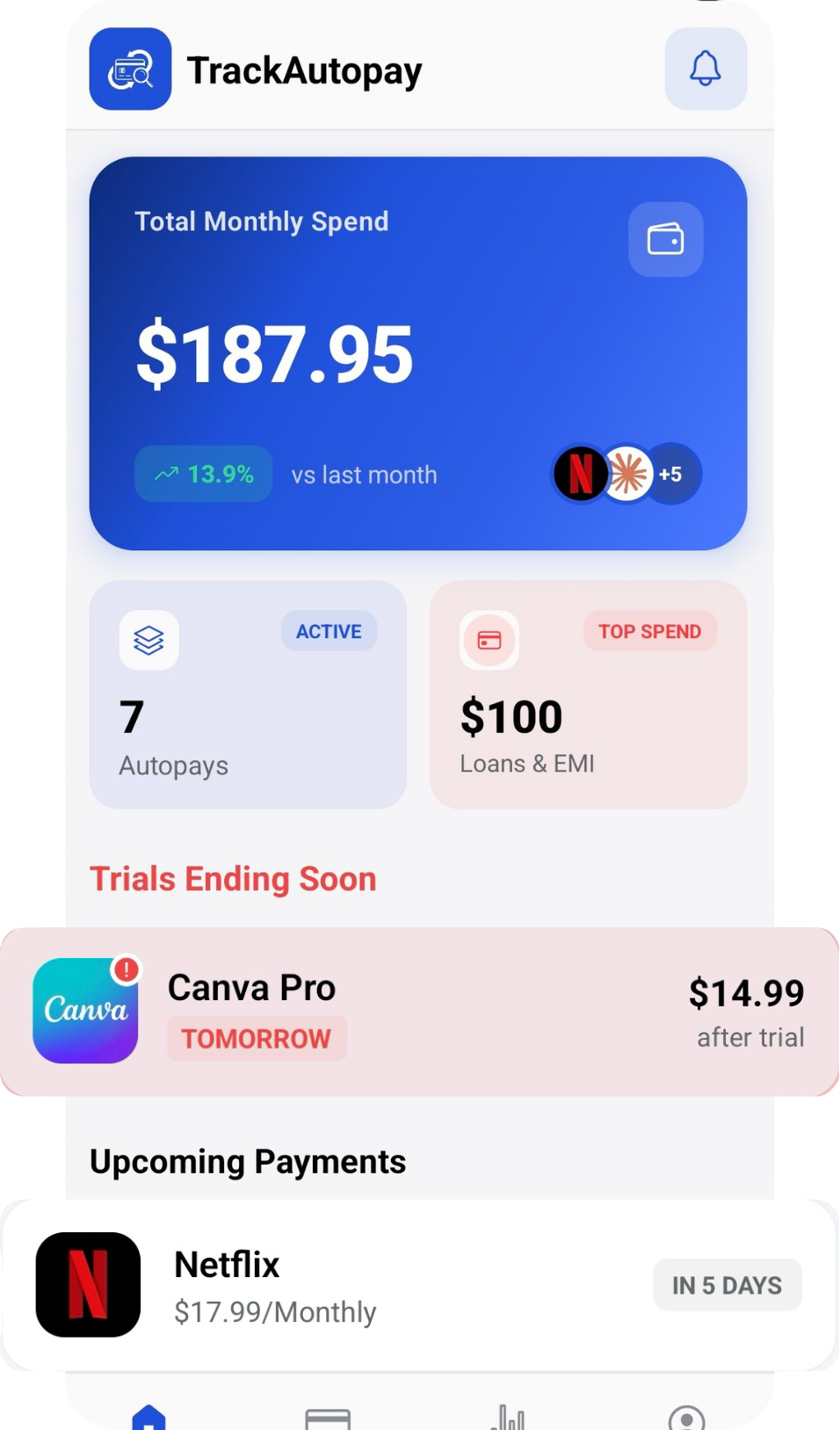
Manually tracking subscriptions across bank statements, app stores, and payment platforms is tedious - and that is exactly why most people never do it. TrackAutoPay solves this by giving you a single, organized dashboard where every recurring payment lives in one place. You can see your total monthly cost at a glance, get reminders before renewal dates, and quickly spot subscriptions you no longer use.
Whether you are doing your first audit or building a long-term tracking habit, TrackAutoPay is built to make subscription management simple, fast, and effective. Available on both iOS and Android, it is the easiest way to stay on top of your recurring payments and keep that $1,000+ in savings year after year.
Start Your Subscription Audit Today
See every recurring payment in one dashboard. Spot waste, track renewal dates, and save $1,000+ a year with TrackAutoPay.